
Joe Danger 2: The Movie
90%


 اضافة للسلة
 الصفحة الرئيسية
 PC Games
Cthulhu: The Cosmic Abyss - Upgrade to R'lyeh Edition
PC Games
Cthulhu: The Cosmic Abyss - Upgrade to R'lyeh Edition

 اضافة للسلة

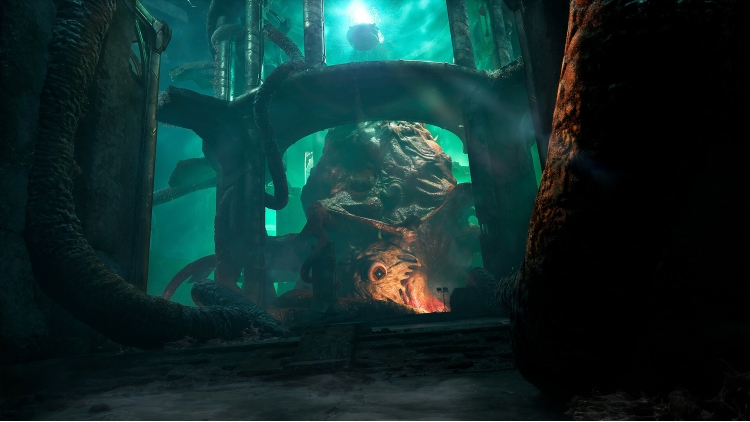
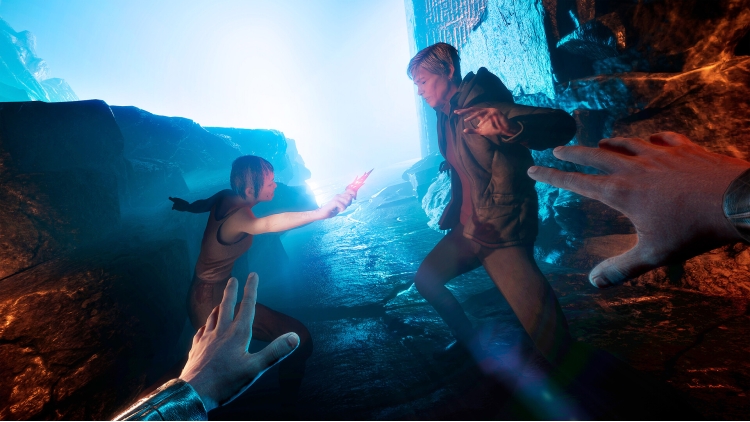
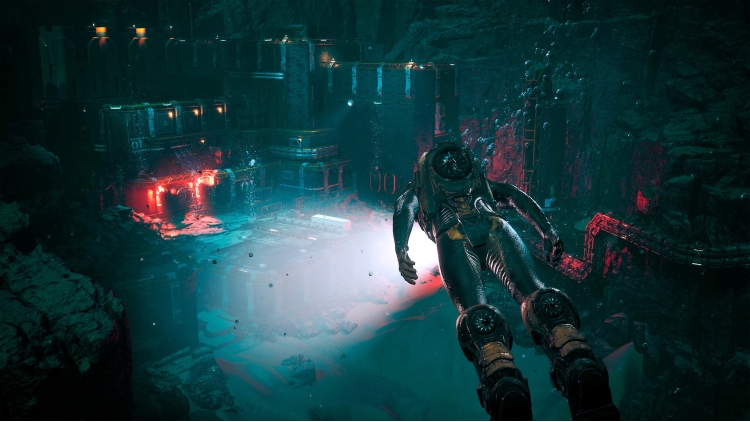
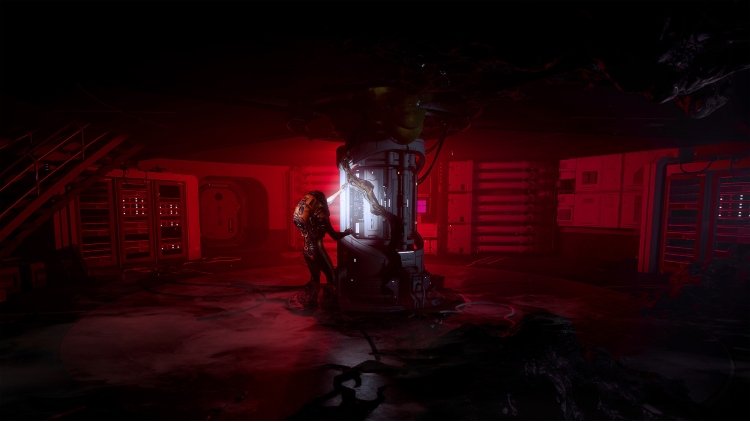
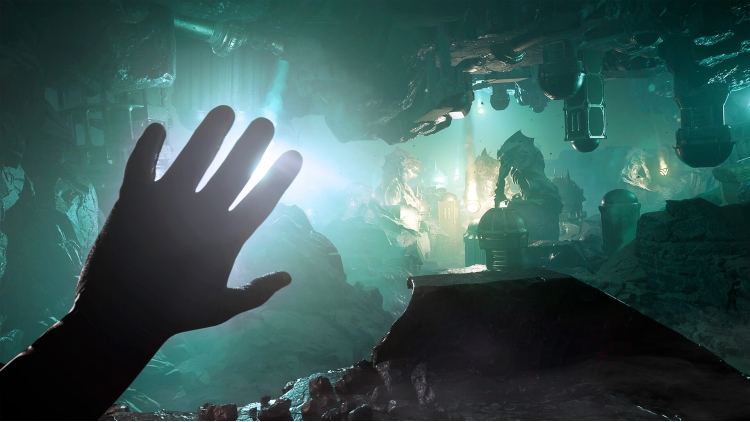
إن انحدارك نحو الجنون لم يبدأ إلا الآن. مع Cthulhu: The Cosmic Abyss – R'lyeh Edition، يبلغ الرعب أبعادًا جديدة. عزِّز تجربتك بالمحتوى الحصري التالي:
- مهمة The Shining Trapezohedron الجانبية: ابحث عن شظايا الـShining Trapezohedron، واكتشف المزيد عن هذا الأثر القديم من خلال أحاجي تختبر إدراكك وقواك العقلية. على سبيل المكافأة، افتح ميزة التطور الحصرية التي تتحسَّن كلما أعدت تجميع القطعة الأثرية. كما ستكتشف مظهرًا حصريًا لليد، مشبَّعًا بالحجر الأحمر، يتفاعل في كل مرة تقترب فيها من إحدى الشظايا.
- سيناريو رسمي للعبة تقمُّص الأدوار Arkham Horror: كبِّر مغامرتك عبر سيناريو كامل وحصري بعنوان “Descent”. صُمِّم خصيصًا للعبة تقمُّص الأدوار اللوحية الشهيرة Arkham Horror، حيث يمكنك أنت وأصدقاؤك اللعب بدور محققين جدد من فئة Ancile، في مواجهة تهديد باطني مرتبط مباشرةً بعالم اللعبة.
كتاب الرسومات غير الإقليدي: من أعماق المحيط الهادئ إلى الأطلال السيكلوبية لمدينة R’lyeh، اكتشف كتاب الرسومات الرسمي للعبة Cthulhu: The Cosmic Abyss، والذي يضم أكثر من 50 صفحة تزخر ببيئات قاسية متشابكة، ومخلوقات من تصميم لافكرافت، وتقنيات من فئة Ancile. رحلة فنية إلى قلب عالمٍ تمتزج فيه الجماليات بالرعب، حيث تراقبك الهاوية دائمًا.
الموسيقى التصويرية الغامضة: مع أكثر من ساعة من الموسيقى، انغمس في المشهد الصوتي للعبة Cthulhu: The Cosmic Abyss. من الطبقات الخانقة لأعماق المحيط إلى نغمات الاستكشاف الأكثر هدوءًا وكآبةً، ترافقك كل مقطوعة في انحدارك نحو المجهول، مُضخِّمةً إحساس التوتر والعزلة وضآلة الوجود أمام رعب كوني لا يُقاس. موسيقى أصلية صُمِّمت لتكون رحلة سمعية، حيث يشكل الصمت والترقُّب والخطر غير الموصوف جزءًا لا يتجزأ من التجربة.
Cthulhu: The Cosmic Abyss ©2025 Published by Nacon and developed by Big Bad Wolf. All rights reserved.
يمكنك شراء لعبة Cthulhu: The Cosmic Abyss - Upgrade to R'lyeh Edition للكمبيوتر الشخصي سريعًا بأي طريقة آمنة وبأفضل الأسعار عبر متجر التجزئة الرسمي mena.etail.market
Cthulhu: The Cosmic Abyss ©2025 Published by Nacon and developed by Big Bad Wolf. All rights reserved.
1)
Download & install the Steam client on your
computer from here.
2)
Open the Steam client, register and login. Then,
locate the Games tab on the top menu. Click that and select “Activate a Product
on Steam..”

3)
Enter your code that is showed on the orders page
of eTail. Market and and follow the steps showed to activate your game.

4)
The game can be monitored now and you can see it
on the "Library" section on Steam. You can download and install the
game now.
5)
If you need more information and support, you
can click here: https://help.steampowered.com/en/wizard/HelpWithSteam
 90%
اضافة للسلة
90%
اضافة للسلة
 60%
اضافة للسلة
60%
اضافة للسلة
 اضافة للسلة
 15%
إنتهى من المخزن
15%
إنتهى من المخزن
 اضافة للسلة
 90%
اضافة للسلة
90%
اضافة للسلة
 اضافة للسلة
 20%
اضافة للسلة
20%
اضافة للسلة
 50%
اضافة للسلة
50%
اضافة للسلة
 90%
اضافة للسلة
90%
اضافة للسلة
