
Joe Danger
90%


 اضافة للسلة
 الصفحة الرئيسية
 PC Games
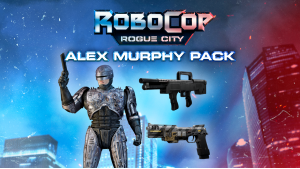
Robocop: Rogue City - Alex Murphy Pack
PC Games
Robocop: Rogue City - Alex Murphy Pack
 اضافة للسلة
[b]تأخذك حزمة ''Alex Murphy'' مباشرةً إلى تجربة أكثر إثارة. تتضمن:
- السلاح الصغير ''OCP Shotgun''
- الدرع المتضرر للبطل، مأخوذ من أول فيلم RoboCop (شكل تجميلي)
- إصدار ''Prototype'' لمسدس Auto-9 (شكل تجميلي)
كُن بطلاً أسطوريًا يتشكَّل من جزء بشري، وجزء آلي، وشرطي بالكامل وافرِض العدالة في مدينة ديترويت القديمة.
ROBOCOP – ROBOCOP 3 © 1987-1992 Orion Pictures Corporation. ROBOCOP: ROGUE CITY © 2023 Metro-Goldwyn-Mayer Studios Inc. ROBOCOP & ROBOCOP: ROGUE CITY are trademarks of Orion Pictures Corporation. All Rights Reserved.
يمكنك شراء لعبة Robocop: Rogue City - Alex Murphy Pack للكمبيوتر الشخصي سريعًا بأي طريقة آمنة وبأفضل الأسعار عبر متجر التجزئة الرسمي mena.etail.market
ROBOCOP – ROBOCOP 3 © 1987-1992 Orion Pictures Corporation. ROBOCOP: ROGUE CITY © 2023 Metro-Goldwyn-Mayer Studios Inc. ROBOCOP & ROBOCOP: ROGUE CITY are trademarks of Orion Pictures Corporation. All Rights Reserved.
1)
Download & install the Steam client on your
computer from here.
2)
Open the Steam client, register and login. Then,
locate the Games tab on the top menu. Click that and select “Activate a Product
on Steam..”

3)
Enter your code that is showed on the orders page
of eTail. Market and and follow the steps showed to activate your game.

4)
The game can be monitored now and you can see it
on the "Library" section on Steam. You can download and install the
game now.
5)
If you need more information and support, you
can click here: https://help.steampowered.com/en/wizard/HelpWithSteam
 90%
اضافة للسلة
90%
اضافة للسلة
 90%
اضافة للسلة
90%
اضافة للسلة
 15%
إنتهى من المخزن
15%
إنتهى من المخزن
 60%
اضافة للسلة
60%
اضافة للسلة
 90%
اضافة للسلة
90%
اضافة للسلة
 اضافة للسلة
 50%
اضافة للسلة
50%
اضافة للسلة
 اضافة للسلة
