Joe Danger 2: The Movie
90%


 اضافة للسلة
 الصفحة الرئيسية
 PC Games
Steel Seed - Digital Artbook
PC Games
Steel Seed - Digital Artbook
 اضافة للسلة

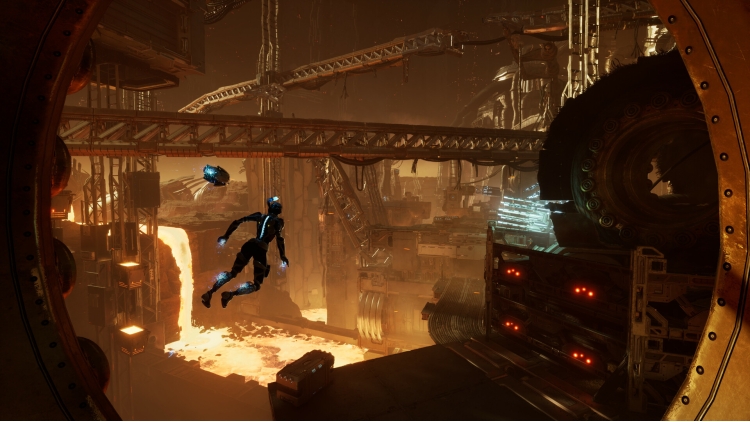
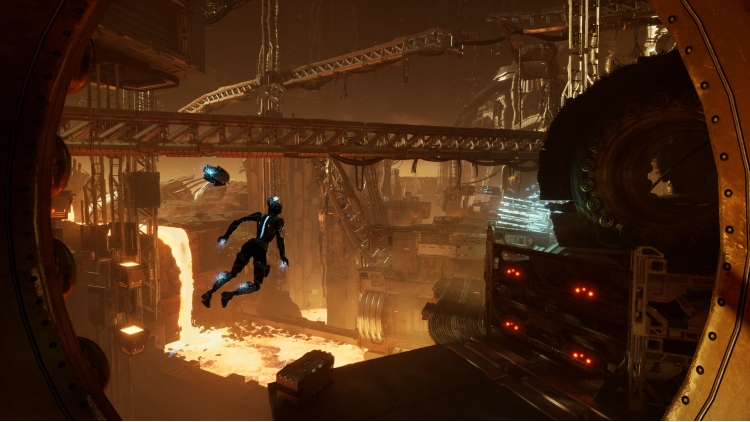
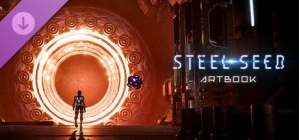
انغمس في أعمال ستيل سيد واستكشف الفن الكامن وراء لعبة الأكشن والتسلل هذه. شاهد المنشأة تحت الأرض وكيف بدت الشخصيات حية في كتاب الرسومات الرسمي للعبة. استكشف فنون التصميم، وتصميمات الشخصيات، والبيئات، والرسومات الأولية، والمؤثرات البصرية غير المسبوقة التي تتتبع الرحلة من الأفكار الأولية إلى عالم اللعبة النهائي. تعرض كل صفحة الإبداع والتفاصيل التي بُذلت في بناء بيئة الخيال العلمي المظلمة والغامرة، من المنشأة تحت الأرض المهيبة إلى الدلالات العاطفية الدقيقة لشخصياتها.
© 2024 Storm in a Teacup S.R.L. طورتها Storm in a Teacup S.R.L. نشرتها ESDigital Games. جميع الحقوق محفوظة.
يمكنك شراء لعبة Steel Seed - Digital Artbook للكمبيوتر الشخصي سريعًا بأي طريقة آمنة وبأفضل الأسعار عبر متجر التجزئة الرسمي mena.etail.market
© 2024 Storm in a Teacup S.R.L. Developed by Storm in a Teacup S.R.L. Published by ESDigital Games. All rights reserved.
1)
Download & install the Steam client on your
computer from here.
2)
Open the Steam client, register and login. Then,
locate the Games tab on the top menu. Click that and select “Activate a Product
on Steam..”

3)
Enter your code that is showed on the orders page
of eTail. Market and and follow the steps showed to activate your game.

4)
The game can be monitored now and you can see it
on the "Library" section on Steam. You can download and install the
game now.
5)
If you need more information and support, you
can click here: https://help.steampowered.com/en/wizard/HelpWithSteam
 90%
اضافة للسلة
90%
اضافة للسلة
 15%
إنتهى من المخزن
15%
إنتهى من المخزن
 60%
اضافة للسلة
60%
اضافة للسلة
 90%
اضافة للسلة
90%
اضافة للسلة
 90%
اضافة للسلة
90%
اضافة للسلة
 اضافة للسلة
 اضافة للسلة
