Joe Danger + Joe Danger 2: The Movie Bundle
90%


 اضافة للسلة
 الصفحة الرئيسية
 PC Games
Street Fighter 6 Years 1-2 Fighters Edition
PC Games
Street Fighter 6 Years 1-2 Fighters Edition
 اضافة للسلة

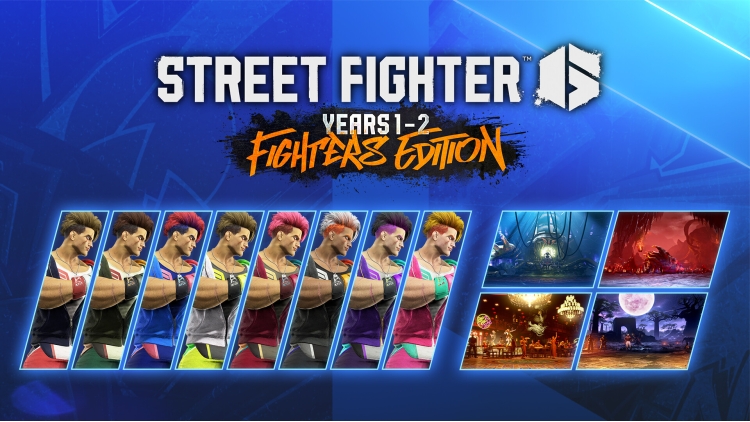
ستريت فايتر ٦ - إصدار المقاتلين للسنوات ١-٢:
نقدم لكم إصدار المقاتلين!
يضم جميع الشخصيات والمراحل من السنتين ١ و٢، وهو مثالي للمبتدئين في اللعبة!
المحتوى
・اللعبة الكاملة
・مراحل وألوان إصدار المقاتلين للسنوات 1-2
┗ 4 مراحل إضافية (المختبر المدمر، جوف إنما، مقهى باو باو 6، بقايا رينيلا)
┗ 18 لونًا لشخصيات الإطلاق: ألوان الزي 1 من 3 إلى 10
・تذكرة شخصية السنة 1
┗ 4 شخصيات إضافية (راشد، إيه كي آي، إد، أكوما)
┗ 4 ألوان لشخصيات إضافية: الزي ١ ألوان ٣-١٠
┗ مكافأة: ٤٢٠٠ تذكرة قيادة
・تذكرة شخصية السنة الثانية
┗ ٤ شخصيات إضافية (م. بايسون، تيري، ماي، إيلينا)
┗ ٤ ألوان إضافية للشخصيات: الزي ١ ألوان ٣-١٠
┗ مكافأة: ٤٢٠٠ تذكرة قيادة
يمكنك شراء لعبة Street Fighter 6 Years 1-2 Fighters Edition للكمبيوتر الشخصي سريعًا بأي طريقة آمنة وبأفضل الأسعار عبر متجر التجزئة الرسمي mena.etail.market
1)
Download & install the Steam client on your
computer from here.
2)
Open the Steam client, register and login. Then,
locate the Games tab on the top menu. Click that and select “Activate a Product
on Steam..”

3)
Enter your code that is showed on the orders page
of eTail. Market and and follow the steps showed to activate your game.

4)
The game can be monitored now and you can see it
on the "Library" section on Steam. You can download and install the
game now.
5)
If you need more information and support, you
can click here: https://help.steampowered.com/en/wizard/HelpWithSteam
 90%
اضافة للسلة
90%
اضافة للسلة
 60%
اضافة للسلة
60%
اضافة للسلة
 50%
اضافة للسلة
50%
اضافة للسلة
 اضافة للسلة
 90%
اضافة للسلة
90%
اضافة للسلة
 اضافة للسلة
 20%
اضافة للسلة
20%
اضافة للسلة
 15%
إنتهى من المخزن
15%
إنتهى من المخزن
 اضافة للسلة
 90%
اضافة للسلة
90%
اضافة للسلة
